Skip to content
Images

MiniMax-H3-Image-Character-Swap

замена персонажей на фото и артах

2 min readupdated

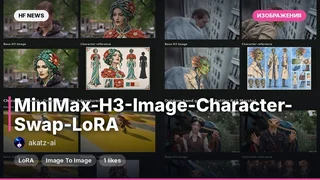
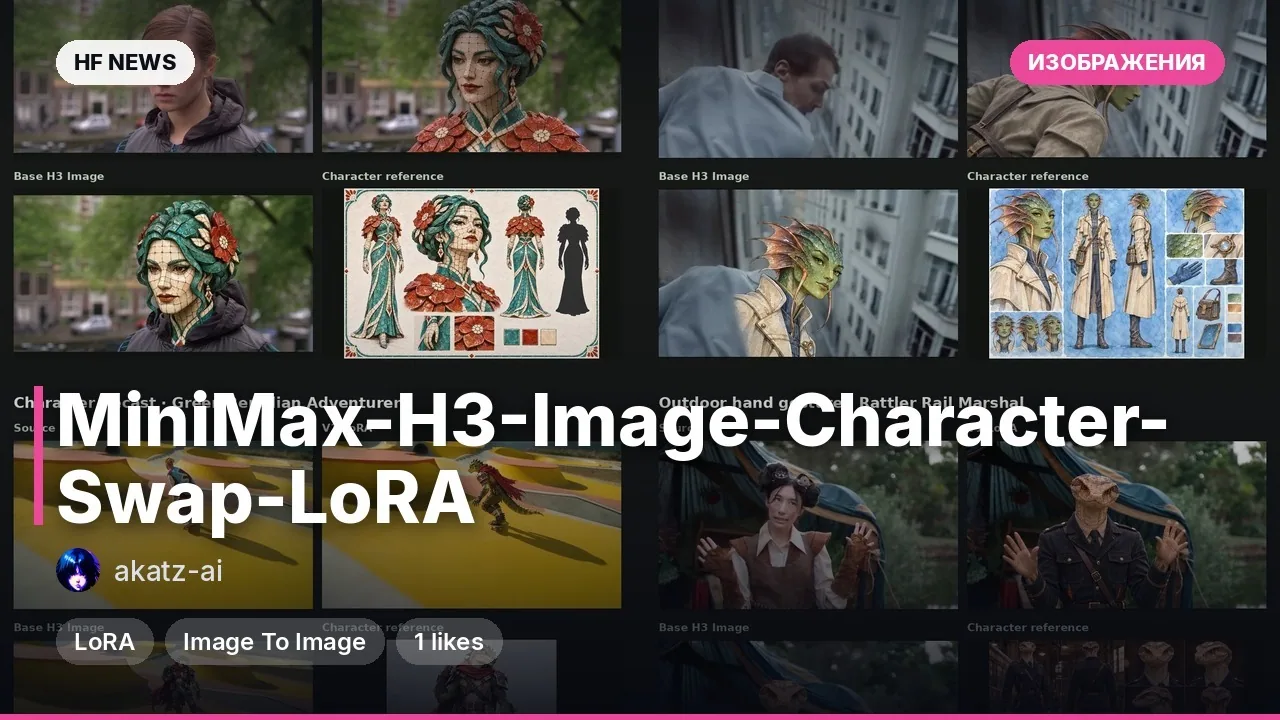
Готовый объединённый чекпоинт от akhaliq на базе генератора изображений MiniMax-H3-Image и адаптера MiniMax-H3-Character-Swap-LoRA (от Akatz Labs). Изначально эта LoRA (небольшая надстройка над базовой моделью) обучалась для видео, но автор вшил её напрямую в веса DiT (трансформер-диффузии) для работы со статичными картинками без отдельного подключения файлов и сложных графов в ComfyUI. Модель берёт исходную сцену и референс героя, после чего заменяет нужного человека, сохраняя фон, освещение, позу и остальных людей в кадре. Главное отличие от базовой версии — способность корректно переносить аниме- и рисованных персонажей на фотореалистичные снимки, даже если человек на фото стоит строго в профиль.

Ключевые особенности

  • Кросс-стилевая замена в профиль: базовый MiniMax-H3-Image проваливал перенос нарисованного персонажа на боковой профиль (3 из 3 попыток), тогда как слитая версия справляется с первого раза на том же сиде.
  • Работа из коробки: веса LoRA (ранг 16, 312 модулей) уже вшиты в архитектуру transformer_diffusers с силой 1.0 — не нужно вручную переназначать ключи или искать адаптер.
  • Высокая детализация: лучше оригинала удерживает черты лица, тон кожи и мелкие детали одежды референса, поддерживая генерацию в разрешении от 4 до 16 мегапикселей.
  • Быстрая дистиллированная генерация: требует всего 6 шагов сэмплирования при CFG 1 без дополнительной настройки параметров.

Что можно сделать

  • Встраивать 2D-героев в реальные фото: поместить аниме-персонажа или иллюстрацию в уличную, книжную или интерьерную фотографию с сохранением естественного света и теней.
  • Менять актёров и героев в готовых сценах: заменить конкретного человека на групповом снимке (указав его в промпте, например «мужчина в фиолетовой рубашке») на другого персонажа по референсу.
  • Запускать на одной видеокарте уровня H200: вынести тяжёлый текстовый энкодер (67 ГБ) на удалённый сервер, оставив в локальной видеопамяти только сам DiT (66 ГБ) и VAE (2 ГБ).

Пример

from diffusers import ModularPipeline
import torch

REPO = "akhaliq/MiniMax-H3-Image-Character-Swap"
pipe = ModularPipeline.from_pretrained(REPO).blocks.init_pipeline(REPO)
pipe.load_components(dtype=torch.bfloat16)
pipe.to("cuda")
image = pipe(prompt="Swap the man in  with the character in .", image=[scene, char], width=2720, height=1536, output="images")[0]
ПодробнееТребования к железу: для полного локального запуска нужно около 140 ГБ VRAM (66 ГБ DiT + 67 ГБ энкодер Qwen3-VL), поддерживается только модульный формат diffusers==0.43.0.
Валидация: визуально идентична подключению отдельной LoRA (PSNR 21–27 дБ — разница только в округлении bfloat16), протестирована на 8 сложных кейсах.
Ограничения: LoRA обучалась на видеороликах (24 fps), поэтому при экстремальных позах, сильном перекрытии объектов или очень мелких лицах возможны артефакты.

Примеры
Discuss Telegram 212 391

Will it run?

Runs in 4-bit

Full precision does not fit, a quantised version does: quality barely changes down to 8 bits, more noticeably at 4 bits.

  • BF16weights 62 GB · ready files69 GB
  • FP8 / INT8recommendedweights 31 GB35 GB
  • 4-bitweights 17 GB21 GB

Tip: go 8-bit.FP8 / INT8 is within about a percent of full precision in quality, takes half the memory and runs faster on RTX 40/50 and H100. Full precision only pays off for fine-tuning.

Estimate: weights plus working memory. Long videos, high resolutions and long contexts need more.

Run it on Massed Compute

The script downloads the model to the rented machine. How to run it is in the model card.

  1. 1. Rent a machine with a fitting GPU

    Open Massed Compute
  2. 2. Paste the script into the machine's terminal

    Connect over SSH (the Massed Compute panel shows the command) or open a terminal on the machine's desktop.

    HF_TOKEN / CIVITAI_TOKENThe script starts with token lines: paste yours between the quotes. The Hugging Face token is for gated models, the Civitai one for Civitai models.

    # akhaliq/MiniMax-H3-Image-Character-Swap
    mkdir -p ~/models
    curl -LsSf https://astral.sh/uv/install.sh | sh
    source "$HOME/.local/bin/env"
    uv tool install "huggingface_hub[cli]"
    hf download akhaliq/MiniMax-H3-Image-Character-Swap --local-dir ~/models/MiniMax-H3-Image-Character-Swap
    # The model is in ~/models. How to run it is in the model card (link above).
  3. 3. Use it

    The model is in ~/models. How to run it is in the model card (link above).

Stop the machine in the panel when you are done: it bills by the minute while it runs.

How to speed it up

Picked for this model type. Choose your hardware above to see what fits you exactly.

  • SageAttention 3v2.2.0from October 28, 2025

    even faster on RTX 50 / Blackwell

    FP4 attention for Blackwell. Faster than SageAttention 2, but the authors suggest v2 when accuracy matters.

    How to enable: Build from the sageattention3_blackwell folder of the repo; in ComfyUI via KJNodes.

    Earlier generations (2)
    • SageAttention 2++ — Quantised (INT8/FP8) attention with no visible quality loss. The main speed-up for image and video generation.
    • SageAttention 1 — First version: INT8 for Q·K. Still works, but 2++ is faster and more accurate.
  • FlashAttention 44.0.0b40from November 18, 2026new release

    fastest exact attention on B200

    Kernels for Blackwell (beta). Exact attention without quantisation — fine for everything, LLMs included.

    How to enable: pip install flash-attn-4; vLLM and SGLang pick it up themselves.

    Earlier generations (3)
    • FlashAttention 3 — The Hopper (H100/H200) version with FP8.
    • FlashAttention 2 — The standard for RTX 30/40/50 and A100: exact attention without the memory cost of long contexts.
    • xFormers — The older way to speed up attention, works almost everywhere. Sage or Flash are faster where available.
  • cache-dit (DBCache)v1.5.6from November 20, 2026new release

    1.5–3× at nearly the same quality

    Reuses block outputs between diffusion steps. Supports most DiT models.

    How to enable: pip install cache-dit; one line cache_dit.enable_cache(pipe) for diffusers.

    Earlier generations (2)
    • MagCache — Skips steps by magnitude of change. More accurate than TeaCache, no calibration.
    • TeaCache — The first popular diffusion step cache. Works, newer methods are more accurate.
  • Nunchaku (SVDQuant 4-bit)v1.2.1from January 25, 2026

    ≈3× faster and 3.5× less memory

    4-bit versions of popular image models with almost no quality loss (FP4 on RTX 50).

    How to enable: Ready weights for supported models; in ComfyUI use ComfyUI-nunchaku.

  • torch.compile2.15.0from October 28, 2026new release

    10–30% for free

    Compiles the model for your GPU. Slower first run, faster afterwards.

    How to enable: model = torch.compile(model); in ComfyUI the TorchCompileModel node.

MiniMax H3 prompts

All prompts

Ready prompts with the resulting video: copy and try.

Model family

  1. MiniMax-H3family root
  2. MiniMax-H3-Image
  3. MiniMax-H3-Image-Character-Swap

New posts about versions of MiniMax-H3 (quants, finetunes, LoRAs) will show up under the bell.

Quantised versions 12All on Hugging Face
Fine-tunes 12All on Hugging Face
LoRAs and adapters 12All on Hugging Face
Merges 3All on Hugging Face

About the model

akhaliq/MiniMax-H3-Image-Character-Swap
Author
akhaliq
Category
Images
Released
Posted

On NeyroLearn

Hugging Face

391212

Ask AI about this model

Answered by Gemini 4 · the chat is kept only in this tab

Comments