Skip to content
Images

MiniMax-H3-Image-GGUF

генерация 16 МП за 6 шагов на домашних видеокартах

3 min readupdated

Набор GGUF-квантований (сжатых версий весов для экономии видеопамяти) для модели MiniMax-H3-Image, подготовленный автором Abiray на основе обрезанного BF16-чекпоинта от Comfy-Org. Оригинальная модель построена на архитектуре single-stream Diffusion Transformer (DiT — диффузионный трансформер с единым потоком данных) на 33,1 млрд параметров и умеет генерировать изображения по тексту и редактировать их по нескольким референсам в разрешении вплоть до 4096 × 4096 пикселей (16 МП) всего за 6 дистиллированных шагов. В отличие от стандартного квантования, здесь чувствительные слои оставлены в нетронутом формате FP32, чтобы избежать шума и артефактов сетки, а файлы уже содержат встроенные метаданные расписания шагов и запускаются напрямую в стандартном ComfyUI-GGUF без костылей. Релиз пригодится тем, кто хочет протестировать тяжёлый 33B-генератор локально на видеокартах от 8 до 24 ГБ VRAM.

Ключевые особенности

  • Выбор под разное железо: доступны пять версий от ультракомпактной Q2_K (6,88 ГБ, от 8 ГБ VRAM) до Q5_K_M (14,10 ГБ), а золотой серединой автор называет Q4_K_M (11,60 ГБ, от 16 ГБ VRAM).
  • Защита критичных слоёв в FP32: входной патчификатор video_patch_proj, 6-шаговая выходная голова PDD final_layer и базис модуляции adaln_basis не сжимались ради сохранения чистоты картинки.
  • Работа из коробки в ComfyUI: метаданные pdd_sigmas вшиты в заголовок GGUF, поэтому файлы нативно грузятся через ноду Unet Loader (GGUF) в ComfyUI v0.45.0+ без патчей.
  • Высокое разрешение и мультиреференс: модель поддерживает генерацию от 1024 × 1024 до 4096 × 4096 пикселей и редактирование по нескольким референсам.

Что можно сделать

  • Генерировать детализированные иллюстрации, макеты упаковки и сцены с читаемой английской типографикой в ComfyUI, используя готовый воркфлоу image_minimax_h3_image_t2i_gguf.json из репозитория.
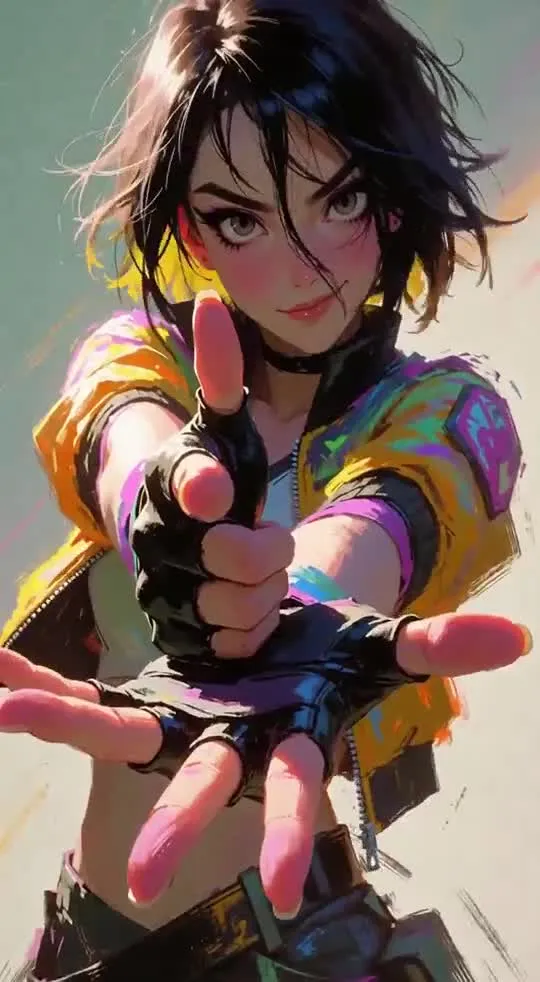
  • Создавать фотореалистичные портреты и предметные кадры в разрешении 4 МП или 16 МП с проработкой текстур кожи, материалов и естественного света.
  • Запустить 33-миллиардную модель даже на ноутбуке или бюджетной видеокарте с 8–12 ГБ VRAM за счёт вариантов Q2_K и Q3_K_M.

Пример

Модель лучше всего понимает плотные, подробные промпты на английском с описанием композиции, материалов, света и текста. Пример промпта из карточки для фотореалистичного портрета:

A raw, high-resolution 35mm documentary portrait of an artisan ceramicist in her sunlit studio loft, shot on a Leica M11 with a 50mm f/1.4 lens. Bathed in cool morning daylight streaming from a tall steel-framed window on the left. Authentic, unretouched skin texture with visible pores, fine smile lines, and a faint dusting of dry white clay powder across her cheekbone. Her hands rest on a weathered pine workbench scattered with trimming tools and a half-empty stoneware coffee mug. Organic shallow depth of field, natural color grading, no plastic skin smoothing or HDR halos.

ПодробнееРекомендуемые настройки в ComfyUI: семплер euler, планировщик simple или sgm_uniform, ровно 6 шагов, CFG Scale = 1.0 (отрицательные промпты и высокий CFG использовать нельзя).
Для работы обязательны фирменный 24-канальный Image VAE (minimax_h3_image_vae_fp16.safetensors — стандартные VAE от SD/Flux не подойдут) и текстовый энкодер Qwen3-VL-32B (есть GGUF-варианты на 12–14,6 ГБ).
Лицензия: MiniMax-H3-Image Community License Agreement (бесплатно для исследований, личного и коммерческого использования до установленного порога выручки; хостинг API требует отдельной коммерческой лицензии).

Discuss 363 304.5K

Will it run?

Runs in GGUF Q5_K_M

The most precise of the ready quantised files fits.

  • GGUF Q5_K_Mweights 13 GB · ready files16 GB
  • GGUF Q4_K_Mweights 11 GB · ready files13 GB
  • GGUF Q4_K_Sweights 11 GB · ready files13 GB
  • GGUF Q3_K_Mweights 8.3 GB · ready files11 GB
  • GGUF Q2_Kweights 6.4 GB · ready files8.5 GB

What to get for this model

Massed ComputeOpen Massed Compute

Your own GPU: GGUF Q5_K_M — from RTX 5080

Massed Compute hourly prices, November 2026. The discounted price applies with the coupon at checkout.

Estimate: weights plus working memory. Long videos, high resolutions and long contexts need more.

Run it on Massed Compute

A ready script for the machine we advise above: paste it and the model downloads and starts.

  1. 1. Rent RTX A6000

    $0.43 an hour with the coupon. Pick the Ubuntu image when you create the machine.

    Open Massed Compute
  2. 2. Paste the script into the machine's terminal

    Connect over SSH (the Massed Compute panel shows the command) or open a terminal on the machine's desktop.

    HF_TOKEN / CIVITAI_TOKENThe script starts with token lines: paste yours between the quotes. The Hugging Face token is for gated models, the Civitai one for Civitai models.

    #!/usr/bin/env bash
    # MiniMax-H3-Image-GGUF
    set -e
    # NVIDIA driver: CUDA 13 needs 580+. If older or missing, the current nvidia-open is installed (keep yours: KEEP_DRIVER=1)
    DRV=$(nvidia-smi --query-gpu=driver_version --format=csv,noheader 2>/dev/null | head -1 | cut -d. -f1)
    case "$DRV" in ""|*[!0-9]*) DRV=0 ;; esac
    if [ "$DRV" -lt 580 ] && [ -z "${KEEP_DRIVER:-}" ]; then
      . /etc/os-release && \
      curl -fsSLO "https://developer.download.nvidia.com/compute/cuda/repos/ubuntu${VERSION_ID//./}/x86_64/cuda-keyring_1.1-1_all.deb" && \
      sudo dpkg -i cuda-keyring_1.1-1_all.deb && rm -f cuda-keyring_1.1-1_all.deb && \
      sudo apt-get update && \
      sudo DEBIAN_FRONTEND=noninteractive apt-get install -y nvidia-open || \
      { echo "Could not install the NVIDIA driver: see the error above. To keep the current one, run with KEEP_DRIVER=1."; exit 1; }
      echo "NVIDIA driver updated. Reboot the machine (sudo reboot) and run this same script again."
      exit 0
    fi
    curl -LsSf https://astral.sh/uv/install.sh | sh
    source "$HOME/.local/bin/env"
    # CUDA 13+ → int8_convrot (Comfy-Org's advice), else fp8_scaled
    CU=$(nvidia-smi | grep -oP 'CUDA Version: \K[0-9]+' || echo 12)
    [ "$CU" -ge 13 ] && TORCH=cu130 || TORCH=cu128
    [ -d ~/ComfyUI ] || git clone https://github.com/comfyanonymous/ComfyUI ~/ComfyUI
    cd ~/ComfyUI
    uv venv --python 3.12 --allow-existing && source .venv/bin/activate
    uv pip install torch torchvision torchaudio --index-url https://download.pytorch.org/whl/$TORCH
    uv pip install -r requirements.txt "huggingface_hub[cli]"
    # Base files: MiniMax H3, 8-bit
    if [ "$CU" -ge 13 ]; then
      hf download Comfy-Org/MiniMax-H3 text_encoders/qwen3vl_32b_minimax_h3_int8_convrot.safetensors vae/minimax_h3_video_vae_fp16.safetensors vae/minimax_h3_audio_vae_fp32.safetensors --local-dir models
    else
      hf download Comfy-Org/MiniMax-H3 text_encoders/qwen3vl_32b_minimax_h3_nvfp4_awq.safetensors vae/minimax_h3_video_vae_fp16.safetensors vae/minimax_h3_audio_vae_fp32.safetensors --local-dir models
    fi
    # Main model: MiniMax-H3-Image-GGUF
    [ -d custom_nodes/ComfyUI-GGUF ] || git clone https://github.com/city96/ComfyUI-GGUF custom_nodes/ComfyUI-GGUF
    uv pip install -r custom_nodes/ComfyUI-GGUF/requirements.txt
    hf download Abiray/MiniMax-H3-Image-GGUF --include '*Q5_K_M*.gguf' --local-dir models/unet
    # Start ComfyUI. From your computer: ssh -L 8188:localhost:8188 user@IP, then http://localhost:8188
    python main.py --listen 127.0.0.1 --port 8188
    Add more LoRAs to MiniMax-H3-Image-GGUF
  3. 3. Use it

    From your computer: ssh -L 8188:localhost:8188 user@machine-IP, then open http://localhost:8188. Or open that address in the browser on the machine's desktop. The model's workflow is usually in its Hugging Face card.

Stop the machine in the panel when you are done: it bills by the minute while it runs.

How to speed it up

Picked for this model type. Choose your hardware above to see what fits you exactly.

  • SageAttention 3v2.2.0from October 28, 2025

    even faster on RTX 50 / Blackwell

    FP4 attention for Blackwell. Faster than SageAttention 2, but the authors suggest v2 when accuracy matters.

    How to enable: Build from the sageattention3_blackwell folder of the repo; in ComfyUI via KJNodes.

    Earlier generations (2)
    • SageAttention 2++ — Quantised (INT8/FP8) attention with no visible quality loss. The main speed-up for image and video generation.
    • SageAttention 1 — First version: INT8 for Q·K. Still works, but 2++ is faster and more accurate.
  • FlashAttention 44.0.0b40from November 18, 2026new release

    fastest exact attention on B200

    Kernels for Blackwell (beta). Exact attention without quantisation — fine for everything, LLMs included.

    How to enable: pip install flash-attn-4; vLLM and SGLang pick it up themselves.

    Earlier generations (3)
    • FlashAttention 3 — The Hopper (H100/H200) version with FP8.
    • FlashAttention 2 — The standard for RTX 30/40/50 and A100: exact attention without the memory cost of long contexts.
    • xFormers — The older way to speed up attention, works almost everywhere. Sage or Flash are faster where available.
  • cache-dit (DBCache)v1.5.6from November 20, 2026new release

    1.5–3× at nearly the same quality

    Reuses block outputs between diffusion steps. Supports most DiT models.

    How to enable: pip install cache-dit; one line cache_dit.enable_cache(pipe) for diffusers.

    Earlier generations (2)
    • MagCache — Skips steps by magnitude of change. More accurate than TeaCache, no calibration.
    • TeaCache — The first popular diffusion step cache. Works, newer methods are more accurate.
  • Nunchaku (SVDQuant 4-bit)v1.2.1from January 25, 2026

    ≈3× faster and 3.5× less memory

    4-bit versions of popular image models with almost no quality loss (FP4 on RTX 50).

    How to enable: Ready weights for supported models; in ComfyUI use ComfyUI-nunchaku.

  • torch.compile2.15.0from October 28, 2026new release

    10–30% for free

    Compiles the model for your GPU. Slower first run, faster afterwards.

    How to enable: model = torch.compile(model); in ComfyUI the TorchCompileModel node.

MiniMax H3 prompts

All prompts

Ready prompts with the resulting video: copy and try.

Model family

  1. MiniMax-H3family root
  2. MiniMax-H3-Image
  3. MiniMax-H3-Image-GGUF

New posts about versions of MiniMax-H3 (quants, finetunes, LoRAs) will show up under the bell.

Quantised versions 12All on Hugging Face
Fine-tunes 12All on Hugging Face
LoRAs and adapters 12All on Hugging Face
Merges 3All on Hugging Face

About the model

Abiray/MiniMax-H3-Image-GGUF
Author
Abiray
Category
Images
Released
Posted

On NeyroLearn

Hugging Face

304.5K363

Ask AI about this model

Answered by Gemini 4 · the chat is kept only in this tab

Comments