Skip to content
Video

TenStrip/10Eros-Max

гибридный чекпоинт для генерации видео на базе MiniMax-H3

2 min readupdated

Кастомная сборка от автора TenStrip, построенная на архитектуре MiniMax-H3 для генерации видео и аудио по тексту и референсным изображениям. Модель объединяет в себе возможности базового чекпоинта с данными более чем из 20 LoRA (небольших адаптеров для дообучения) и «привитыми» слоями из LTX 2.3, Wan 2.2 и Krea 2. Благодаря избирательному слиянию через MLP-слои модель сохраняет точность работы с референсами и качество звука оригинала, но добавляет новые концепты и поддержку ускоренной генерации. Подойдёт энтузиастам видеогенерации в ComfyUI, которым нужен универсальный чекпоинт с хорошим движением и встроенным ускорением.

Ключевые особенности

  • Встроенное ускорение: версии с пометкой Turbo имеют вшитую дельту для генерации за 4–8 шагов, что экономит 4.2 ГБ памяти по сравнению с отдельной загрузкой турбо-адаптеров.
  • Избирательный мердж (MLP-only): LoRA-данные влиты только в MLP-слои с ограничением магнитуды, оставляя слои внимания (attention) базовой модели нетронутыми для сохранения логики и референсов.
  • Гибридная архитектура: модель поддерживает все режимы базовой fl2va-архитектуры с Fast Omni timestep и переносит стилистические особенности из LTX 2.3, Wan 2.2 и Krea 2.
  • Несколько рабочих веток: доступны сборки beta_5 (на базе консенсус-мерджа 7 концепт-групп) и beta_7 (с исправленным мерцанием на высоких разрешениях).

Что можно сделать

  • Генерировать видеоролики с аудиодорожкой по тексту или референсному кадру в один или два прохода (с 3D spatial upscale для сглаживания фона).
  • Дополнять модель внешними концепт-LoRA — в сборке beta_5 они корректно работают поверх основного чекпоинта при сниженном весе (0.2–0.6).
  • Использовать raw-версию без вшитого турбо в связке со сторонними ускорителями (например, Pika) или для получения максимального качества звука на полных шагах.

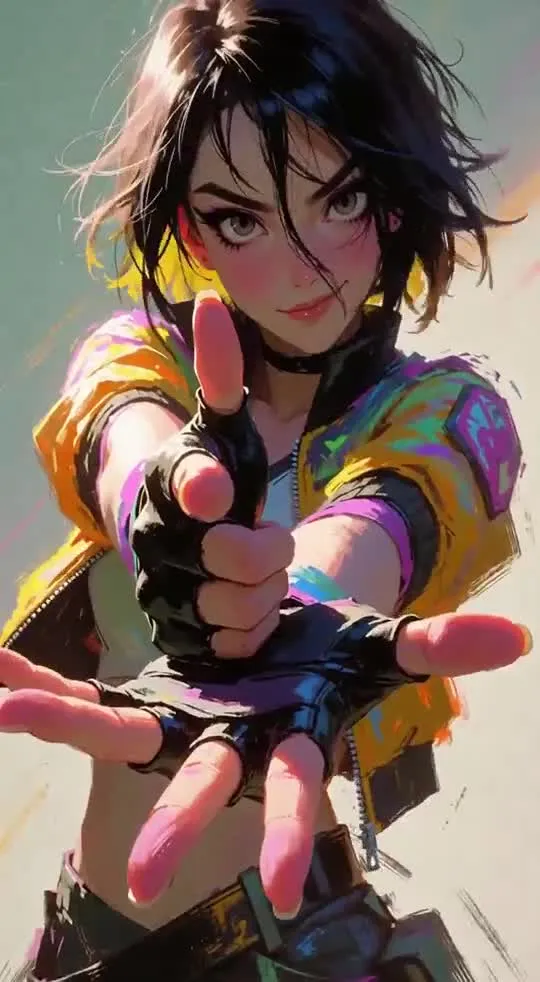
Пример

Рекомендуемые настройки сэмплирования от автора для разных задач в ComfyUI:
— Для лучшего качества движения: res_multistep / simple на 6–8 шагов (shift 12/3 для beta_7).
— Для лучшего звука в турбо-режиме: LCM / simple на 6–8 шагов или er_sde / beta на 4 шага.
— Для beta_7 (8stepTurbo): Euler / simple или Er_sde / SGM_uniform на 8 шагов.

ПодробнееРекомендации: избегать сборок beta_3, beta_4 и beta_6 (нестабильные или повреждённые тесты), выбирать beta_5 или beta_7.
Ограничения: при работе с референсами нельзя использовать cache, spectrum и SLA sparsity — они ломают точность и качество.
Оптимизация: доступна отдельная квантованная версия 10Eros-Max-h3-int8-convrot для запуска с меньшим объёмом памяти.
Лицензия: стандартная лицензия сообщества H3 с учётом условий LTX 2.3, Wan 2.2 и Krea 2.

Discuss 1.1K

Will it run?

Runs in 4-bit

Full precision does not fit, a quantised version does: quality barely changes down to 8 bits, more noticeably at 4 bits.

  • BF16weights 62 GB · ready files74 GB
  • FP8 / INT8recommendedweights 31 GB38 GB
  • 4-bitweights 17 GB23 GB

Tip: go 8-bit.FP8 / INT8 is within about a percent of full precision in quality, takes half the memory and runs faster on RTX 40/50 and H100. Full precision only pays off for fine-tuning.

Estimate: weights plus working memory. Long videos, high resolutions and long contexts need more.

Run it on Massed Compute

A ready script for the machine we advise above: paste it and the model downloads and starts.

  1. 1. Rent RTX A6000

    $0.43 an hour with the coupon. Pick the Ubuntu image when you create the machine.

    Open Massed Compute
  2. 2. Paste the script into the machine's terminal

    Connect over SSH (the Massed Compute panel shows the command) or open a terminal on the machine's desktop.

    HF_TOKEN / CIVITAI_TOKENThe script starts with token lines: paste yours between the quotes. The Hugging Face token is for gated models, the Civitai one for Civitai models.

    #!/usr/bin/env bash
    # 10Eros-Max
    set -e
    # NVIDIA driver: CUDA 13 needs 580+. If older or missing, the current nvidia-open is installed (keep yours: KEEP_DRIVER=1)
    DRV=$(nvidia-smi --query-gpu=driver_version --format=csv,noheader 2>/dev/null | head -1 | cut -d. -f1)
    case "$DRV" in ""|*[!0-9]*) DRV=0 ;; esac
    if [ "$DRV" -lt 580 ] && [ -z "${KEEP_DRIVER:-}" ]; then
      . /etc/os-release && \
      curl -fsSLO "https://developer.download.nvidia.com/compute/cuda/repos/ubuntu${VERSION_ID//./}/x86_64/cuda-keyring_1.1-1_all.deb" && \
      sudo dpkg -i cuda-keyring_1.1-1_all.deb && rm -f cuda-keyring_1.1-1_all.deb && \
      sudo apt-get update && \
      sudo DEBIAN_FRONTEND=noninteractive apt-get install -y nvidia-open || \
      { echo "Could not install the NVIDIA driver: see the error above. To keep the current one, run with KEEP_DRIVER=1."; exit 1; }
      echo "NVIDIA driver updated. Reboot the machine (sudo reboot) and run this same script again."
      exit 0
    fi
    curl -LsSf https://astral.sh/uv/install.sh | sh
    source "$HOME/.local/bin/env"
    # CUDA 13+ → int8_convrot (Comfy-Org's advice), else fp8_scaled
    CU=$(nvidia-smi | grep -oP 'CUDA Version: \K[0-9]+' || echo 12)
    [ "$CU" -ge 13 ] && TORCH=cu130 || TORCH=cu128
    [ -d ~/ComfyUI ] || git clone https://github.com/comfyanonymous/ComfyUI ~/ComfyUI
    cd ~/ComfyUI
    uv venv --python 3.12 --allow-existing && source .venv/bin/activate
    uv pip install torch torchvision torchaudio --index-url https://download.pytorch.org/whl/$TORCH
    uv pip install -r requirements.txt "huggingface_hub[cli]"
    # Base files: MiniMax H3, 8-bit
    if [ "$CU" -ge 13 ]; then
      hf download Comfy-Org/MiniMax-H3 text_encoders/qwen3vl_32b_minimax_h3_int8_convrot.safetensors vae/minimax_h3_video_vae_fp16.safetensors vae/minimax_h3_audio_vae_fp32.safetensors --local-dir models
    else
      hf download Comfy-Org/MiniMax-H3 text_encoders/qwen3vl_32b_minimax_h3_nvfp4_awq.safetensors vae/minimax_h3_video_vae_fp16.safetensors vae/minimax_h3_audio_vae_fp32.safetensors --local-dir models
    fi
    # Main model: 10Eros-Max
    hf download TenStrip/10Eros-Max 10Eros_Max_h3_8stepTURBO_beta6_bf16.safetensors --local-dir models/diffusion_models
    # 16-bit model: ComfyUI holds it in 8 bits (--fp8_e4m3fn-unet), half the memory
    # Start ComfyUI. From your computer: ssh -L 8188:localhost:8188 user@IP, then http://localhost:8188
    python main.py --listen 127.0.0.1 --port 8188 --fp8_e4m3fn-unet
    Add more LoRAs to 10Eros-Max
  3. 3. Use it

    From your computer: ssh -L 8188:localhost:8188 user@machine-IP, then open http://localhost:8188. Or open that address in the browser on the machine's desktop. The model's workflow is usually in its Hugging Face card.

Stop the machine in the panel when you are done: it bills by the minute while it runs.

How to speed it up

Picked for this model type. Choose your hardware above to see what fits you exactly.

  • SageAttention 3v2.2.0from October 28, 2025

    even faster on RTX 50 / Blackwell

    FP4 attention for Blackwell. Faster than SageAttention 2, but the authors suggest v2 when accuracy matters.

    How to enable: Build from the sageattention3_blackwell folder of the repo; in ComfyUI via KJNodes.

    Earlier generations (2)
    • SageAttention 2++ — Quantised (INT8/FP8) attention with no visible quality loss. The main speed-up for image and video generation.
    • SageAttention 1 — First version: INT8 for Q·K. Still works, but 2++ is faster and more accurate.
  • FlashAttention 44.0.0b40from November 18, 2026new release

    fastest exact attention on B200

    Kernels for Blackwell (beta). Exact attention without quantisation — fine for everything, LLMs included.

    How to enable: pip install flash-attn-4; vLLM and SGLang pick it up themselves.

    Earlier generations (3)
    • FlashAttention 3 — The Hopper (H100/H200) version with FP8.
    • FlashAttention 2 — The standard for RTX 30/40/50 and A100: exact attention without the memory cost of long contexts.
    • xFormers — The older way to speed up attention, works almost everywhere. Sage or Flash are faster where available.
  • cache-dit (DBCache)v1.5.6from November 20, 2026new release

    1.5–3× at nearly the same quality

    Reuses block outputs between diffusion steps. Supports most DiT models.

    How to enable: pip install cache-dit; one line cache_dit.enable_cache(pipe) for diffusers.

    Earlier generations (2)
    • MagCache — Skips steps by magnitude of change. More accurate than TeaCache, no calibration.
    • TeaCache — The first popular diffusion step cache. Works, newer methods are more accurate.
  • LightX2V step distill0.6.1from November 9, 2026new release

    5–10× fewer steps

    Distilled LoRAs and an engine: video in 4–8 steps instead of 30–50.

    How to enable: Load their step-distill LoRA, CFG 1.0, 4–8 steps.

  • torch.compile2.15.0from October 28, 2026new release

    10–30% for free

    Compiles the model for your GPU. Slower first run, faster afterwards.

    How to enable: model = torch.compile(model); in ComfyUI the TorchCompileModel node.

MiniMax H3 prompts

All prompts

Ready prompts with the resulting video: copy and try.

Model family

New posts about versions of MiniMax-H3 (quants, finetunes, LoRAs) will show up under the bell.

Quantised versions 12All on Hugging Face
Fine-tunes 12All on Hugging Face
LoRAs and adapters 12All on Hugging Face
Merges 3All on Hugging Face

About the model

TenStrip/10Eros-Max
Author
TenStrip
Category
Video
Released
Posted

On NeyroLearn

Hugging Face

01.1K

Ask AI about this model

Answered by Gemini 4 · the chat is kept only in this tab

Comments