Skip to content
Audio

LongCap_ICLR

audio captioning and diarization for long recordings

2 min readupdated

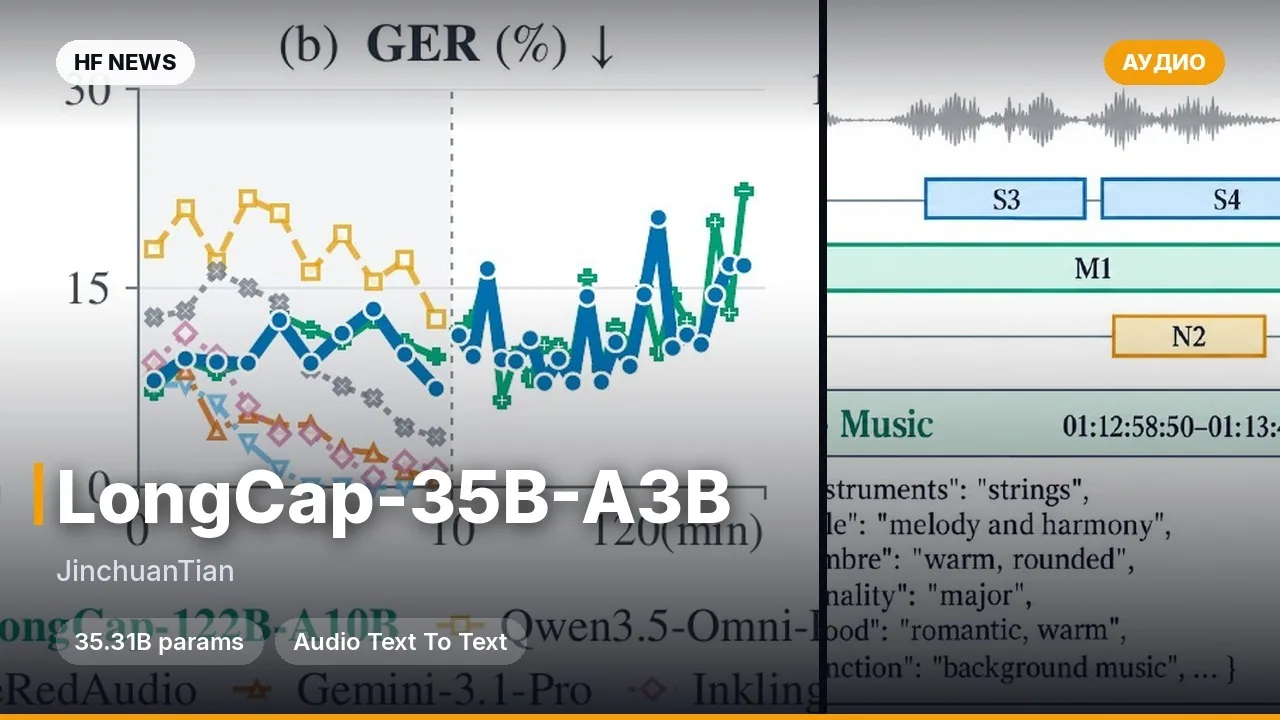
A model suite and ready-to-use CLI tool from the longcap team for audio processing. The repository includes two separate checkpoints: LongCap for generating timestamped audio event descriptions and LongCap_Diar for diarization (separating speech by speaker) with simultaneous transcription. It supports long recordings via the long profile and batch processing of WAV and FLAC files. Built for voice service developers and audio data researchers.

Key features

  • Two specialized checkpoints: LongCap outputs event descriptions with start and end timestamps in seconds, while LongCap_Diar splits recordings into segments with speaker labels and transcripts.
  • Batch processing and resume support: instead of a single audio file, you can pass a JSONL manifest with a list of recordings, and if a run is interrupted, re-running the command resumes from the last saved point.
  • Client-server architecture: the model runs as a local server (including via Docker), while inference is triggered through separate CLI commands that output results to .jsonl.

What you can do

  • Annotate long audio recordings and podcasts: get timestamps for each speaker's turns along with speech transcripts using LongCap_Diar.
  • Build a sound event dataset: run an archive of WAV or FLAC files through LongCap using a JSONL manifest to automatically generate event timestamps.

Example

longcap serve --model ../LongCap_Diar --profile long
longcap diarize --audio /path/to/recording.wav \
  --model ../LongCap_Diar --frequency-penalty 0.05 \
  --output outputs/diarization
Read moreDetails
Hardware requirements: Linux x86-64, an FP8-capable GPU with high VRAM (the model card specifies an NVIDIA H100 80 GB), and a driver supporting CUDA 13.0.
Languages in metadata: English (en), Chinese (zh).
Installation: Python 3.12, a C/C++ compiler, with Docker execution supported (NVIDIA Container Toolkit, --shm-size=16g).


Discuss Telegram 0

Will it run?

Runs in FP8 / INT8

Full precision does not fit, a quantised version does: quality barely changes down to 8 bits, more noticeably at 4 bits.

  • BF16weights 36 GB · ready files40 GB
  • FP8 / INT8recommendedweights 18 GB20 GB
  • 4-bitweights 10 GB12 GB

Tip: go 8-bit.FP8 / INT8 is within about a percent of full precision in quality, takes half the memory and runs faster on RTX 40/50 and H100. Full precision only pays off for fine-tuning.

What to get for this model

Massed ComputeOpen Massed Compute

Your own GPU: FP8 / INT8 — from RTX 4090

Massed Compute hourly prices, November 2026. The discounted price applies with the coupon at checkout.

Estimate: weights plus working memory. Long videos, high resolutions and long contexts need more.

Run it on Massed Compute

The script downloads the model to the rented machine. How to run it is in the model card.

  1. 1. Rent a machine with a fitting GPU

    Open Massed Compute
  2. 2. Paste the script into the machine's terminal

    Connect over SSH (the Massed Compute panel shows the command) or open a terminal on the machine's desktop.

    HF_TOKEN / CIVITAI_TOKENThe script starts with token lines: paste yours between the quotes. The Hugging Face token is for gated models, the Civitai one for Civitai models.

    # longcap/LongCap_ICLR
    mkdir -p ~/models
    curl -LsSf https://astral.sh/uv/install.sh | sh
    source "$HOME/.local/bin/env"
    uv tool install "huggingface_hub[cli]"
    hf download longcap/LongCap_ICLR --local-dir ~/models/LongCap_ICLR
    # The model is in ~/models. How to run it is in the model card (link above).
    Add more LoRAs to LongCap_ICLR
  3. 3. Use it

    The model is in ~/models. How to run it is in the model card (link above).

Stop the machine in the panel when you are done: it bills by the minute while it runs.

How to speed it up

Picked for this model type. Choose your hardware above to see what fits you exactly.

  • FlashAttention 44.0.0b40from November 18, 2026new release

    fastest exact attention on B200

    Kernels for Blackwell (beta). Exact attention without quantisation — fine for everything, LLMs included.

    How to enable: pip install flash-attn-4; vLLM and SGLang pick it up themselves.

    Earlier generations (2)
    • FlashAttention 3 — The Hopper (H100/H200) version with FP8.
    • FlashAttention 2 — The standard for RTX 30/40/50 and A100: exact attention without the memory cost of long contexts.
  • torch.compile2.15.0from October 28, 2026new release

    10–30% for free

    Compiles the model for your GPU. Slower first run, faster afterwards.

    How to enable: model = torch.compile(model); in ComfyUI the TorchCompileModel node.

Model family

New posts about versions of LongCap_ICLR (quants, finetunes, LoRAs) will show up under the bell.

No known relatives of this model yet. All derivatives on Hugging Face

About the model

longcap/LongCap_ICLR
Author
longcap
Category
Audio
Released
Posted

On NeyroLearn

Hugging Face

00

Ask AI about this model

Answered by Gemini 4 · the chat is kept only in this tab

Comments