Skip to content
Images

MiniMax H3 Image Workflows

генерация 16 МП картинок даже на 8 ГБ VRAM

3 min readupdated

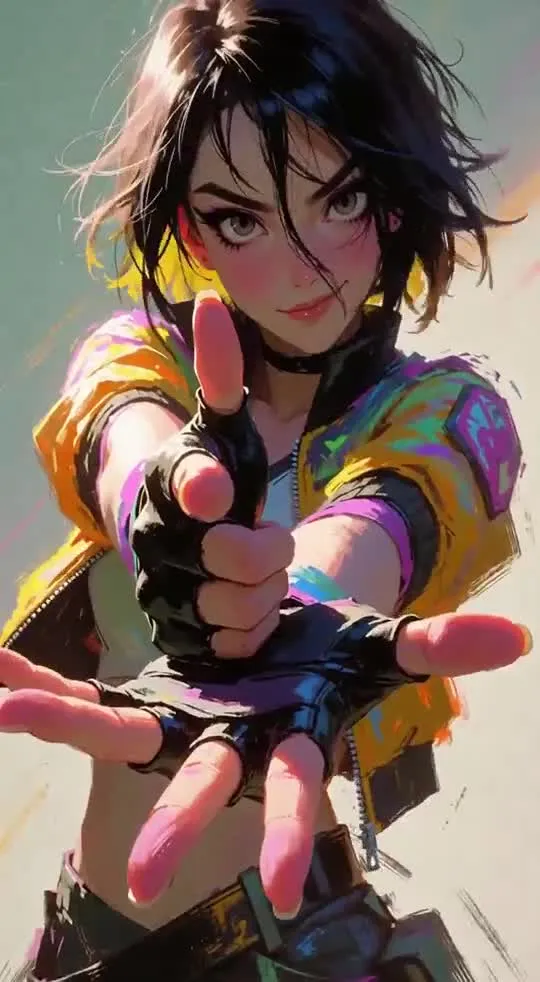
Автор vyrekai выложил три готовых воркфлоу (графа генерации) для ComfyUI, которые позволяют запускать модель генерации изображений MiniMax H3 Image на видеокартах с 8, 12 и 16 ГБ видеопамяти. Вместо урезанных GGUF-квантов используются оригинальные полноразмерные файлы весов от Comfy-Org: ComfyUI держит модель в оперативной памяти и подгружает её в видеокарту по частям. Благодаря этому даже на 8 ГБ VRAM вы получаете попиксельно идентичный результат в разрешении 16 мегапикселей (например, 5472×3072), только чуть медленнее. Воркфлоу не требуют установки кастомных нод и подойдут владельцам бюджетных или средних видеокарт с достаточным объёмом обычной ОЗУ.

Ключевые особенности

  • Три пресета под разную память: отдельные JSON-файлы для 8 ГБ (тайловый VAE 512), 12 ГБ (тайловый VAE 768) и 16+ ГБ VRAM.
  • Дистилляция под 6 шагов: воркфлоу настроен на SamplerLCM с 6 шагами и CFG 1.0 без негативного промпта.
  • Без кастомных нод: используются только встроенные компоненты актуального ComfyUI (тестировалось на версии 0.45.3).
  • Черновой режим и форматы: быстрый переключатель между черновиком в 4 МП и финалом в 16 МП, а также выбор из 8 соотношений сторон (от 1:1 до 21:9).
  • Гайд для нейросетей в комплекте: файл MINIMAX_H3_IMAGE_PROMPT_GUIDE.md, который можно загрузить в ChatGPT или Claude, чтобы они писали длинные промпты под специфику модели.

Что можно сделать

  • Генерировать детализированные иллюстрации и фото в 16 МП на картах уровня RTX 3060 или 4060 без апскейлеров.
  • Редактировать готовые снимки по инструкции: включить один из 10 слотов референсов и попросить изменить обстановку или время суток на исходном фото.
  • Собирать сцены из нескольких референсов: объединять персонажа с первой картинки и локацию со второй с помощью тегов и в промпте.

Пример

Воркфлоу запускается перетаскиванием JSON-файла в окно ComfyUI. Для работы с референсами нужно выделить нужный слот, нажать Ctrl+B и сослаться на картинку в промпте (сгенерированном с помощью приложенного гайда):
Using this guide, put the man from into the café from .

ПодробнееСкорость на RTX 5070 Ti (с искусственным ограничением памяти): генерация 16 МП (6 шагов) занимает 60 с на 8 ГБ VRAM, 63 с на 12 ГБ и 66 с на 16 ГБ; генерация 16 МП с 4 референсами на 8 ГБ — около 228 с (4 минуты).
Требования к железу: от 8 ГБ VRAM NVIDIA (пиковое потребление видеопамяти при тесте — 3,7 ГБ), от 24 ГБ системной ОЗУ (рекомендуется 32 ГБ) и ~38 ГБ на SSD (45 ГБ с опциональным апсемплером промптов qwen3.5_9b_w4a8_gptq, который в версии на 8 ГБ отключён).
Ограничения: при смене режима с чернового 4 МП на 16 МП с тем же сидом генерируется другое изображение, а не увеличенная копия; короткие промпты дают «кукольные» лица, поэтому нужны подробные описания.

Примеры
Discuss Telegram 119

Will it run?

Working out the memory needs

The bot is still collecting this model's weight sizes; the estimate will appear here in a few minutes. Meanwhile you can rent a GPU with headroom.

Massed ComputeOpen Massed Compute

Run it on Massed Compute

The script downloads the model to the rented machine. How to run it is in the model card.

  1. 1. Rent a machine with a fitting GPU

    Open Massed Compute
  2. 2. Paste the script into the machine's terminal

    Connect over SSH (the Massed Compute panel shows the command) or open a terminal on the machine's desktop.

    HF_TOKEN / CIVITAI_TOKENThe script starts with token lines: paste yours between the quotes. The Hugging Face token is for gated models, the Civitai one for Civitai models.

    # vyrekai/minimax-h3-image-comfyui-workflows
    mkdir -p ~/models
    curl -LsSf https://astral.sh/uv/install.sh | sh
    source "$HOME/.local/bin/env"
    uv tool install "huggingface_hub[cli]"
    hf download vyrekai/minimax-h3-image-comfyui-workflows --local-dir ~/models/minimax-h3-image-comfyui-workflows
    # The model is in ~/models. How to run it is in the model card (link above).
  3. 3. Use it

    The model is in ~/models. How to run it is in the model card (link above).

Stop the machine in the panel when you are done: it bills by the minute while it runs.

How to speed it up

Picked for this model type. Choose your hardware above to see what fits you exactly.

  • SageAttention 3v2.2.0from October 28, 2025

    even faster on RTX 50 / Blackwell

    FP4 attention for Blackwell. Faster than SageAttention 2, but the authors suggest v2 when accuracy matters.

    How to enable: Build from the sageattention3_blackwell folder of the repo; in ComfyUI via KJNodes.

    Earlier generations (2)
    • SageAttention 2++ — Quantised (INT8/FP8) attention with no visible quality loss. The main speed-up for image and video generation.
    • SageAttention 1 — First version: INT8 for Q·K. Still works, but 2++ is faster and more accurate.
  • FlashAttention 44.0.0b40from November 18, 2026new release

    fastest exact attention on B200

    Kernels for Blackwell (beta). Exact attention without quantisation — fine for everything, LLMs included.

    How to enable: pip install flash-attn-4; vLLM and SGLang pick it up themselves.

    Earlier generations (3)
    • FlashAttention 3 — The Hopper (H100/H200) version with FP8.
    • FlashAttention 2 — The standard for RTX 30/40/50 and A100: exact attention without the memory cost of long contexts.
    • xFormers — The older way to speed up attention, works almost everywhere. Sage or Flash are faster where available.
  • cache-dit (DBCache)v1.5.6from November 20, 2026new release

    1.5–3× at nearly the same quality

    Reuses block outputs between diffusion steps. Supports most DiT models.

    How to enable: pip install cache-dit; one line cache_dit.enable_cache(pipe) for diffusers.

    Earlier generations (2)
    • MagCache — Skips steps by magnitude of change. More accurate than TeaCache, no calibration.
    • TeaCache — The first popular diffusion step cache. Works, newer methods are more accurate.
  • Nunchaku (SVDQuant 4-bit)v1.2.1from January 25, 2026

    ≈3× faster and 3.5× less memory

    4-bit versions of popular image models with almost no quality loss (FP4 on RTX 50).

    How to enable: Ready weights for supported models; in ComfyUI use ComfyUI-nunchaku.

  • torch.compile2.15.0from October 28, 2026new release

    10–30% for free

    Compiles the model for your GPU. Slower first run, faster afterwards.

    How to enable: model = torch.compile(model); in ComfyUI the TorchCompileModel node.

MiniMax H3 prompts

All prompts

Ready prompts with the resulting video: copy and try.

Model family

New posts about versions of minimax-h3-image-comfyui-workflows (quants, finetunes, LoRAs) will show up under the bell.

No known relatives of this model yet. All derivatives on Hugging Face

About the model

vyrekai/minimax-h3-image-comfyui-workflows
Author
vyrekai
Category
Images
Released
Posted

On NeyroLearn

Hugging Face

0119

Ask AI about this model

Answered by Gemini 4 · the chat is kept only in this tab

Comments