Skip to content
Language models

Omoikane-50M-PoC

гибридная языковая модель, обученная с нуля на Mac mini

3 min readupdated

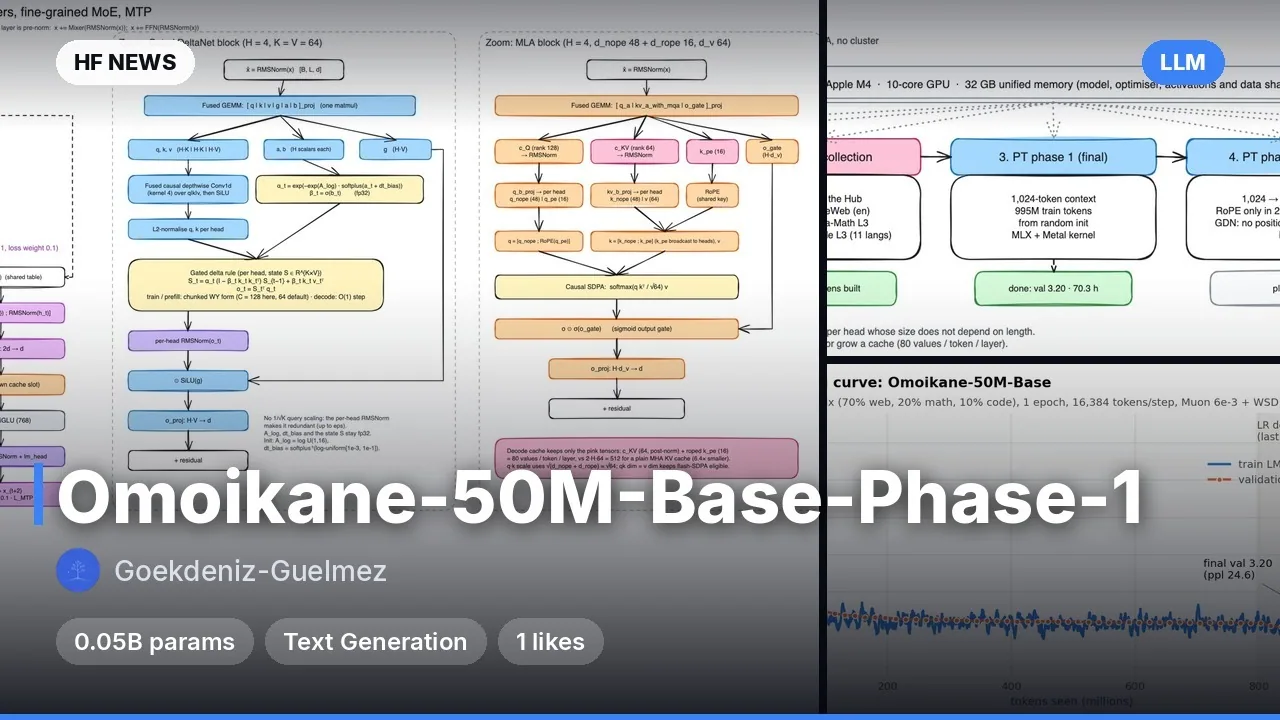
Omoikane-50M-PoC — исследовательская языковая модель (LLM) на 48,9 млн параметров от автора Gökdeniz Gülmez, созданная и обученная с нуля на одном Mac mini с чипом Apple M4 (32 ГБ объединенной памяти, без CUDA). Модель сочетает рекуррентные слои Gated DeltaNet (линейная по времени обработка последовательности с фиксированным состоянием), слои внимания MLA (Multi-head Latent Attention со сжатым KV-кэшем) и блоки MoE (Mixture-of-Experts — смесь экспертов, где на каждый токен активируется часть подсетей). Это proof-of-concept чекпоинт для проверки архитектуры перед полным обучением на 1 млрд токенов. Он умеет генерировать связный текст на английском языке, но не проходил настройку на инструкции и обладает ограниченными знаниями. Пригодится исследователям и энтузиастам MLX для изучения компактных гибридных архитектур на Apple Silicon.

Ключевые особенности

  • Гибридная архитектура: 8 слоев Gated DeltaNet для быстрого O(1) инференса и 2 слоя MLA (3-й и 7-й) для точного извлечения контекста.
  • Тонкозернистый MoE: в слоях 1–8 работают 16 экспертов (выбираются топ-4) плюс 1 общий эксперт с балансировкой нагрузки без вспомогательной функции потерь.
  • Multi-Token Prediction (MTP): дополнительная голова предсказывает токен t+2 (совпадает с жадным выбором основной головы в 60,5% случаев), что подходит для self-speculative decoding.
  • Обобщение по длине: модель обучалась на окнах по 1024 токена, но удерживает ровный loss на контексте до 4096 токенов без дообучения.
  • Оптимизация под MLX: обучение с кастомным Metal-ядром заняло 6,8 часа на Mac mini M4 при пиковом потреблении 13,1 ГБ памяти.

Что можно сделать

  • Запустить инференс на Apple Silicon: протестировать генерацию текста локально через нативный скрипт modeling_omoikane_mlx.py в фреймворке MLX или через transformers на PyTorch.
  • Изучить работу компонентов: воспроизвести эксперименты автора по отключению отдельных слоев и анализу специализации экспертов и горизонтов памяти голов GDN.
  • Дообучить под свои задачи: использовать чекпоинт как легкую базу для экспериментов с файнтюнингом (SFT) или расширением контекста на потребительском железе.

Пример

import torch
from transformers import AutoModelForCausalLM, AutoTokenizer

repo = "Goekdeniz-Guelmez/Omoikane-50M-PoC"
tok = AutoTokenizer.from_pretrained(repo, trust_remote_code=True)
model = AutoModelForCausalLM.from_pretrained(repo, trust_remote_code=True, dtype=torch.float32).eval()
inputs = tok("Photosynthesis is the process by which plants", return_tensors="pt")
out = model.generate(**inputs, max_new_tokens=64, do_sample=True, temperature=0.8, top_p=0.95, repetition_penalty=1.1)
print(tok.decode(out[0], skip_special_tokens=True))
ПодробнееБенчмарки (zero-shot): BLiMP — 72,9%, SciQ — 60,0%, PIQA — 54,6%, ARC-Easy — 39,2%, HellaSwag — 25,8%.
Обучение: 1 эпоха на 103,7 млн токенов (fineweb-edu-100K), оптимизатор Muon (lr 6e-3, расписание WSD), итоговый validation loss — 4,0105 (perplexity 55,2).
Железо: Mac mini M4 32 ГБ, пик памяти 13,1 ГБ, скорость обучения ~4000–4300 токенов/с.
Ограничения: только английский язык, без инструктивного тюнинга, математику и код при обучении не видела, при жадном декодировании склонна к повторам.

Примеры
Discuss Telegram 0

Will it run?

Runs in F32

Fits without quantisation.

  • F32weights 0.2 GB · ready files0.8 GB
  • BF16weights 0.1 GB0.7 GB
  • FP8 / INT8recommendedweights 0.0 GB0.7 GB
  • 4-bitweights 0.0 GB0.6 GB

Tip: go 8-bit.FP8 / INT8 is within about a percent of full precision in quality, takes half the memory and runs faster on RTX 40/50 and H100. Full precision only pays off for fine-tuning.

What to get for this model

Massed ComputeOpen Massed Compute

Your own GPU: FP8 / INT8 — from RTX 2060 · F32 — from RTX 2060

Massed Compute hourly prices, November 2026. The discounted price applies with the coupon at checkout.

Estimate: weights plus working memory. Long videos, high resolutions and long contexts need more.

Run it on Massed Compute

A ready script for the machine we advise above: paste it and the model downloads and starts.

  1. 1. Rent A30

    $0.26 an hour with the coupon. Pick the Ubuntu image when you create the machine.

    Open Massed Compute
  2. 2. Paste the script into the machine's terminal

    Connect over SSH (the Massed Compute panel shows the command) or open a terminal on the machine's desktop.

    HF_TOKEN / CIVITAI_TOKENThe script starts with token lines: paste yours between the quotes. The Hugging Face token is for gated models, the Civitai one for Civitai models.

    # Goekdeniz-Guelmez/Omoikane-50M-PoC — A30, FP8 / INT8
    # NVIDIA driver: CUDA 13 needs 580+. If older or missing, the current nvidia-open is installed (keep yours: KEEP_DRIVER=1)
    DRV=$(nvidia-smi --query-gpu=driver_version --format=csv,noheader 2>/dev/null | head -1 | cut -d. -f1)
    case "$DRV" in ""|*[!0-9]*) DRV=0 ;; esac
    if [ "$DRV" -lt 580 ] && [ -z "${KEEP_DRIVER:-}" ]; then
      . /etc/os-release && \
      curl -fsSLO "https://developer.download.nvidia.com/compute/cuda/repos/ubuntu${VERSION_ID//./}/x86_64/cuda-keyring_1.1-1_all.deb" && \
      sudo dpkg -i cuda-keyring_1.1-1_all.deb && rm -f cuda-keyring_1.1-1_all.deb && \
      sudo apt-get update && \
      sudo DEBIAN_FRONTEND=noninteractive apt-get install -y nvidia-open || \
      { echo "Could not install the NVIDIA driver: see the error above. To keep the current one, run with KEEP_DRIVER=1."; exit 1; }
      echo "NVIDIA driver updated. Reboot the machine (sudo reboot) and run this same script again."
      exit 0
    fi
    curl -LsSf https://astral.sh/uv/install.sh | sh
    source "$HOME/.local/bin/env"
    uv venv ~/vllm --python 3.12 && source ~/vllm/bin/activate
    uv pip install vllm
    vllm serve Goekdeniz-Guelmez/Omoikane-50M-PoC --max-model-len 8192 --quantization fp8
    Add more LoRAs to Omoikane-50M-PoC
  3. 3. Use it

    The server listens on port 8000 and speaks the OpenAI API: http://localhost:8000/v1 on the machine. From your computer: ssh -L 8000:localhost:8000 user@machine-IP.

Stop the machine in the panel when you are done: it bills by the minute while it runs.

How to speed it up

Picked for this model type. Choose your hardware above to see what fits you exactly.

  • FlashAttention 44.0.0b40from November 18, 2026new release

    fastest exact attention on B200

    Kernels for Blackwell (beta). Exact attention without quantisation — fine for everything, LLMs included.

    How to enable: pip install flash-attn-4; vLLM and SGLang pick it up themselves.

    Earlier generations (2)
    • FlashAttention 3 — The Hopper (H100/H200) version with FP8.
    • FlashAttention 2 — The standard for RTX 30/40/50 and A100: exact attention without the memory cost of long contexts.
  • torch.compile2.15.0from October 28, 2026new release

    10–30% for free

    Compiles the model for your GPU. Slower first run, faster afterwards.

    How to enable: model = torch.compile(model); in ComfyUI the TorchCompileModel node.

  • MTP (multi-token prediction)0.34.0from November 16, 2026new release

    1.5–2× generation speed

    If the model has MTP layers (DeepSeek-V3/R1, Qwen3-Next, GLM, MiMo and others), it predicts several tokens per step itself.

    How to enable: vLLM / SGLang: --speculative-config '{"method": "mtp", "num_speculative_tokens": 1}'. Check the model card.

    Earlier generations (2)
    • EAGLE-3 — Speculative decoding with a small draft head. For models without their own MTP layers.
    • EAGLE-2 / Medusa — Earlier draft-head generations. Still work if that is all you find.
  • FP8 KV cache0.34.0from November 16, 2026new release

    2× more context in the same memory

    Keeps the attention cache in 8 bits, so long contexts fit where they did not.

    How to enable: vLLM: --kv-cache-dtype fp8; llama.cpp: -ctk q8_0 -ctv q8_0.

  • vLLM / SGLang0.34.0from November 16, 2026new release

    many times more tokens/s on a server

    Server engines: batching, FlashAttention, FP8 and speculative decoding out of the box.

    How to enable: vllm serve <model> — an OpenAI-compatible API.

    Earlier generations (1)
    • llama.cpp — GGUF models on any GPU, Mac or even CPU; some layers can stay in RAM.

Model family

New posts about versions of Omoikane-50M-PoC (quants, finetunes, LoRAs) will show up under the bell.

No known relatives of this model yet. All derivatives on Hugging Face

About the model

Goekdeniz-Guelmez/Omoikane-50M-PoC
Author
Goekdeniz-Guelmez
Category
Language models
Released
Posted

On NeyroLearn

Hugging Face

00

Ask AI about this model

Answered by Gemini 4 · the chat is kept only in this tab

Comments

Language models

MORPH-S

MORPH-S