Skip to content
Other

Raehoshi Moss Image

аниме-файнтюн на базе MOSS-Image-Base

2 min readupdated

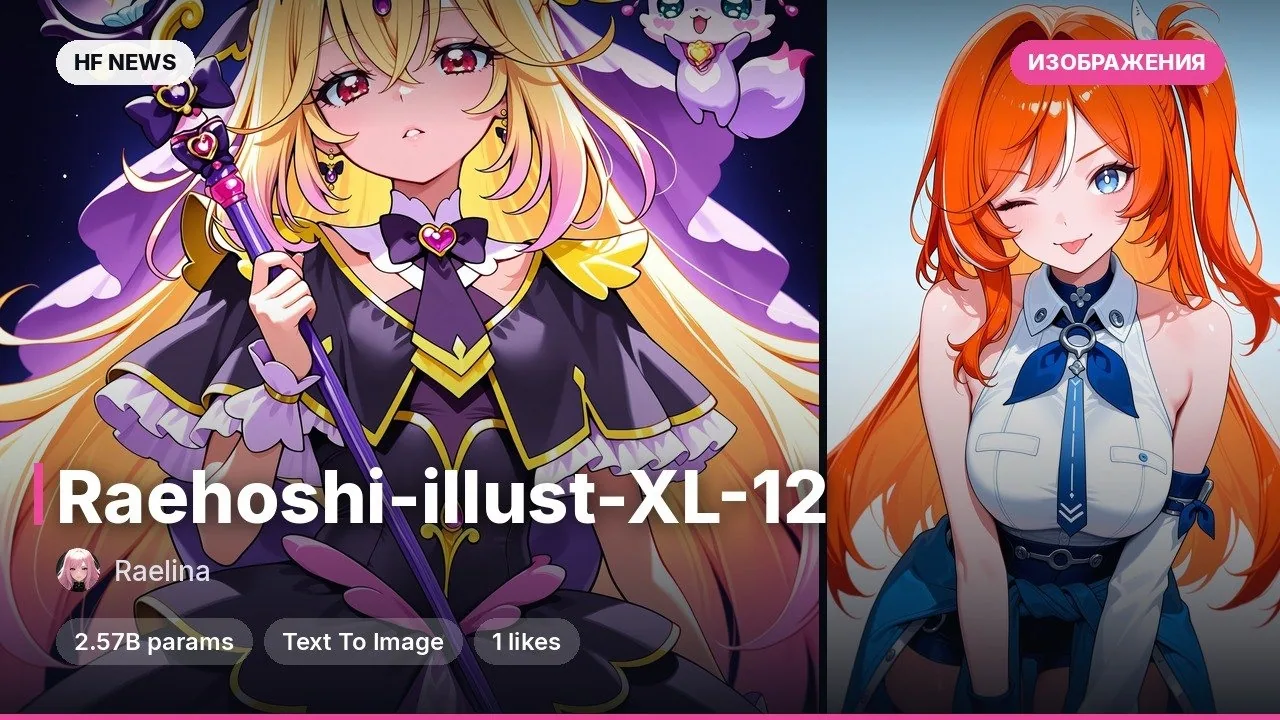
Raehoshi Moss Image — это модель для генерации изображений по текстовому описанию, дообученная разработчиком Raelina на базе архитектуры MOSS-Image-Base. Она улучшает визуальный стиль исходной модели, добавляет новые концепты и расширяет знание персонажей из популярных игр, сохраняя сильные стороны базы. При обучении модель объединили с LoRA (небольшой надстройкой), извлечённой из версии Moss-Image SFT. Подойдёт любителям аниме-иллюстраций и пользователям ComfyUI или Forge Neo, которые хотят получать сбалансированные арты без сложного подбора тегов.

Ключевые особенности

  • Понимает как Booru-теги (наборы ключевых слов через запятую), так и обычный естественный язык (короткие, средние и длинные описания).
  • Знает свежих персонажей из игр Wuthering Waves, Zenless Zone Zero, Honkai: Star Rail и Genshin Impact вплоть до октября 2026 года.
  • Собрана на основе MOSS-Image-Base с финальным слиянием с LoRA (ранг 128, извлечена через SVD из Moss-Image SFT).
  • Распространяется под открытой лицензией Apache 2.0 в формате единого файла диффузионной модели.

Что можно сделать

  • Генерировать иллюстрации с актуальными героями из популярных гача-игр, комбинируя теги и свободное описание сцены.
  • Запускать в ComfyUI (через узел SkipLayersGuidanceDITSimple) или в Forge Neo для локального создания артов.
  • Использовать как базовый чекпоинт для дальнейших экспериментов со стилями и концептами на платформе MOSS-Image.

Пример

В карточке нет готового Python-кода, но автор приводит обязательный пресет для генерации в ComfyUI или Forge Neo: используйте сэмплер ER SDE, планировщик SGM Uniform, 30–50 шагов и CFG Scale 4.0–5.0. Обязательно включите Skip Layer Guidance (SLG) для слоёв 22, 24, 26 (от 0 до 0.5) — без этого качество картинок заметно падает.

ПодробнееДатасет: около 10 000 изображений с разметкой в четырёх форматах.
Обязательные параметры: SLG на слоях 22, 24, 26 (Start 0, End 0.5), сэмплер ER SDE.
Лицензия: Apache 2.0, формат diffusion-single-file.

Примеры
Discuss Telegram 1 246

Will it run?

Runs in BF16

Fits without quantisation.

  • BF16weights 19 GB · ready files21 GB
  • FP8 / INT8recommendedweights 9.4 GB11 GB
  • 4-bitweights 5.3 GB6.3 GB

Tip: go 8-bit.FP8 / INT8 is within about a percent of full precision in quality, takes half the memory and runs faster on RTX 40/50 and H100. Full precision only pays off for fine-tuning.

What to get for this model

Massed ComputeOpen Massed Compute

Your own GPU: FP8 / INT8 — from RTX 2080 Ti · BF16 — from RTX 4090

Massed Compute hourly prices, November 2026. The discounted price applies with the coupon at checkout.

Estimate: weights plus working memory. Long videos, high resolutions and long contexts need more.

Run it on Massed Compute

The script downloads the model to the rented machine. How to run it is in the model card.

  1. 1. Rent a machine with a fitting GPU

    Open Massed Compute
  2. 2. Paste the script into the machine's terminal

    Connect over SSH (the Massed Compute panel shows the command) or open a terminal on the machine's desktop.

    HF_TOKEN / CIVITAI_TOKENThe script starts with token lines: paste yours between the quotes. The Hugging Face token is for gated models, the Civitai one for Civitai models.

    # Raelina/Raehoshi-Moss-Image
    mkdir -p ~/models
    curl -LsSf https://astral.sh/uv/install.sh | sh
    source "$HOME/.local/bin/env"
    uv tool install "huggingface_hub[cli]"
    hf download Raelina/Raehoshi-Moss-Image --local-dir ~/models/Raehoshi-Moss-Image
    # The model is in ~/models. How to run it is in the model card (link above).
    Add more LoRAs to Raehoshi-Moss-Image
  3. 3. Use it

    The model is in ~/models. How to run it is in the model card (link above).

Stop the machine in the panel when you are done: it bills by the minute while it runs.

How to speed it up

Picked for this model type. Choose your hardware above to see what fits you exactly.

  • FlashAttention 44.0.0b40from November 18, 2026new release

    fastest exact attention on B200

    Kernels for Blackwell (beta). Exact attention without quantisation — fine for everything, LLMs included.

    How to enable: pip install flash-attn-4; vLLM and SGLang pick it up themselves.

    Earlier generations (2)
    • FlashAttention 3 — The Hopper (H100/H200) version with FP8.
    • FlashAttention 2 — The standard for RTX 30/40/50 and A100: exact attention without the memory cost of long contexts.
  • torch.compile2.15.0from October 28, 2026new release

    10–30% for free

    Compiles the model for your GPU. Slower first run, faster afterwards.

    How to enable: model = torch.compile(model); in ComfyUI the TorchCompileModel node.

Model family

New posts about versions of MOSS-Image-Base (quants, finetunes, LoRAs) will show up under the bell.

Quantised versions 12All on Hugging Face
Fine-tunes 12All on Hugging Face
LoRAs and adapters 12All on Hugging Face
Merges 2All on Hugging Face

About the model

Raelina/Raehoshi-Moss-Image
Author
Raelina
Category
Other
Released
Posted

On NeyroLearn

Hugging Face

2461

Ask AI about this model

Answered by Gemini 4 · the chat is kept only in this tab

Comments